Slaide turns a written or spoken request and your files into a finished, editable document. You describe it, answer a few questions and approve a page plan; Slaide builds and checks every page. Then you edit and export PowerPoint, Word, Excel or PDF.
Volta runs autonomous shuttles for city centres: quieter, cleaner, around the clock. Launched in three cities, built for a hundred.
Investor briefingJune 2026
Launch
Q4 · 2027
Round · Series A
€80m
First cities
Berlin · Vienna · Zurich
Quarterly report · Q3 2026All regions
Growth
Revenue beat plan in all three regions by 14%.
Net revenue
€48.2m14.2% vs plan
Annual target86%
New customers
2,84122.0% YoY
Annual target79%
Retention
94.6%3.1 pp YoY
Annual target94%
EBITDA margin
31.8%±0.4 pp YoY
Annual target58%
Revenue per quarterin €m, actual vs plan
ActualPlan
Board meeting14 November 2026
The ask
Approve €4.2m for three initiatives, returning 3.1× within 36 months.
AMAOwnerM. Albers
Expand EuropeBenelux, Poland, Nordics
€1.8m
Share43 %Payback18 months
Expected return3.0×01×2×3×4×
BJOOwnerJ. Okafor
Scale the platformEngineering and API
€1.5m
Share36 %Payback12 months
Expected return3.6×01×2×3×4×
CSBOwnerS. Brandt
Win enterpriseSales, key-account team
€0.9m
Share21 %Payback14 months
Expected return2.4×01×2×3×4×
Weighted average 3.1×Planning Sept to Nov 2026Appendix 12 / 14
Decision required
Blended ROI3.1×
Cumulative return on the €4.2m invested, over 36 months
Next stepPass the resolution
Paper 12 / 14Confidential
Exports .pptx, .docx and .xlsx, plus PDF, PNG and JPG
Runs in the browser, no installation
Interface in English and German, documents in the language of your request
Free plan with one document, no card needed
Definition
What is Slaide? An AI workspace for professional documents.
Slaide creates presentations, pitch decks, reports, proposals, one-pagers, budgets and financial plans from a brief and your material. It plans the structure for each request and designs the pages itself, so you do not start by filling in a template.
Slaide is run by Nathalie Scholl as a sole proprietorship in Heilbronn, Germany. The app runs at app.slaide.de, the help center at help.slaide.de.
The first result is a complete first version to refine. Slaide is instructed not to fill gaps with invented figures and to label its assumptions, so you see what to confirm before you present.
Workflow
How a deck is built, in six steps.
1
Describe it
Write or speak your request in the start box and attach files if you have them: PDF, Word, Excel, PowerPoint, images, text or data, up to 30 MB per file.
2
Answer a few questions
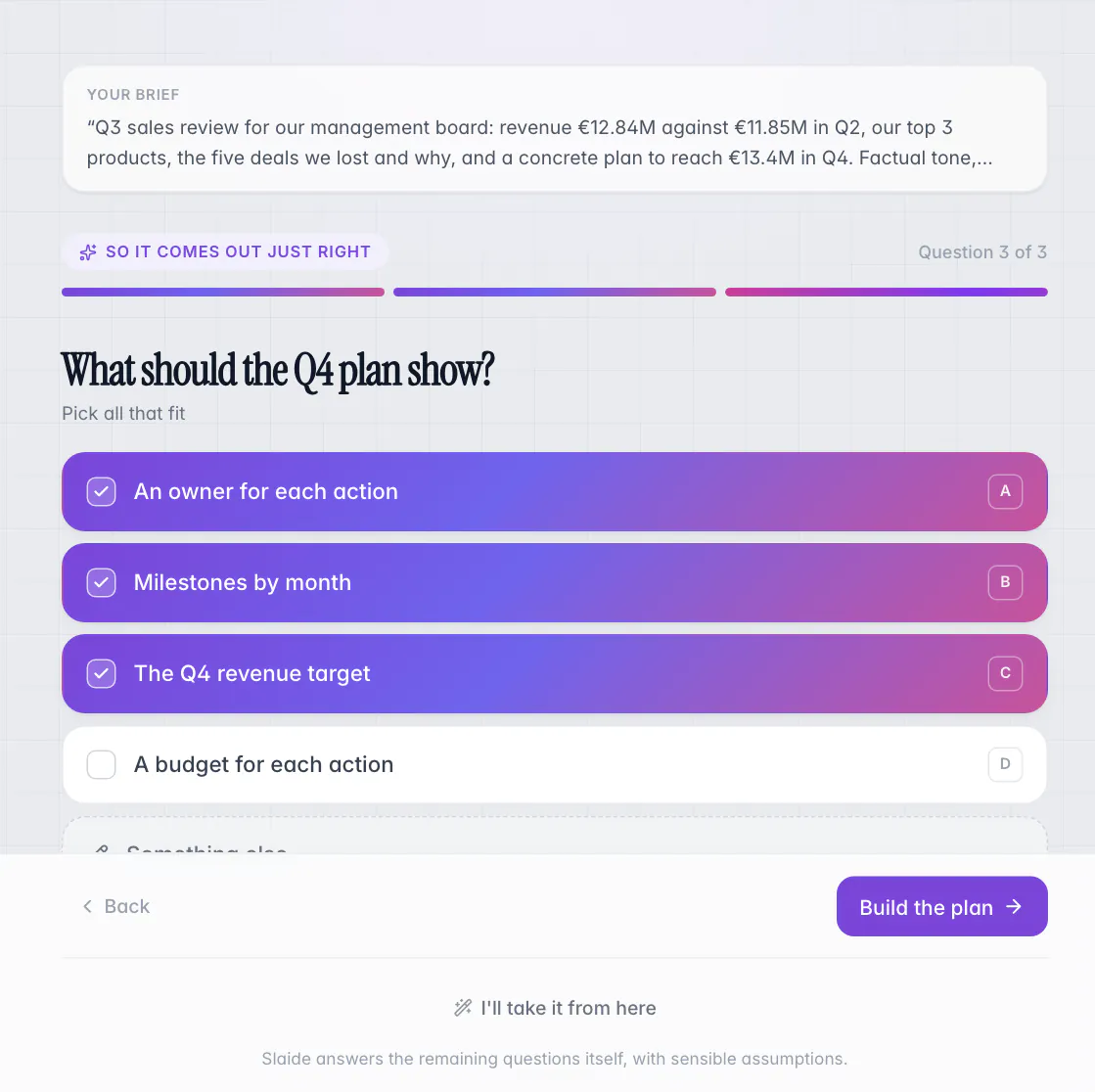
Where the request leaves points open, Slaide asks up to four questions with two to four options each. When the request is clear, it skips them.
3
Approve the page plan
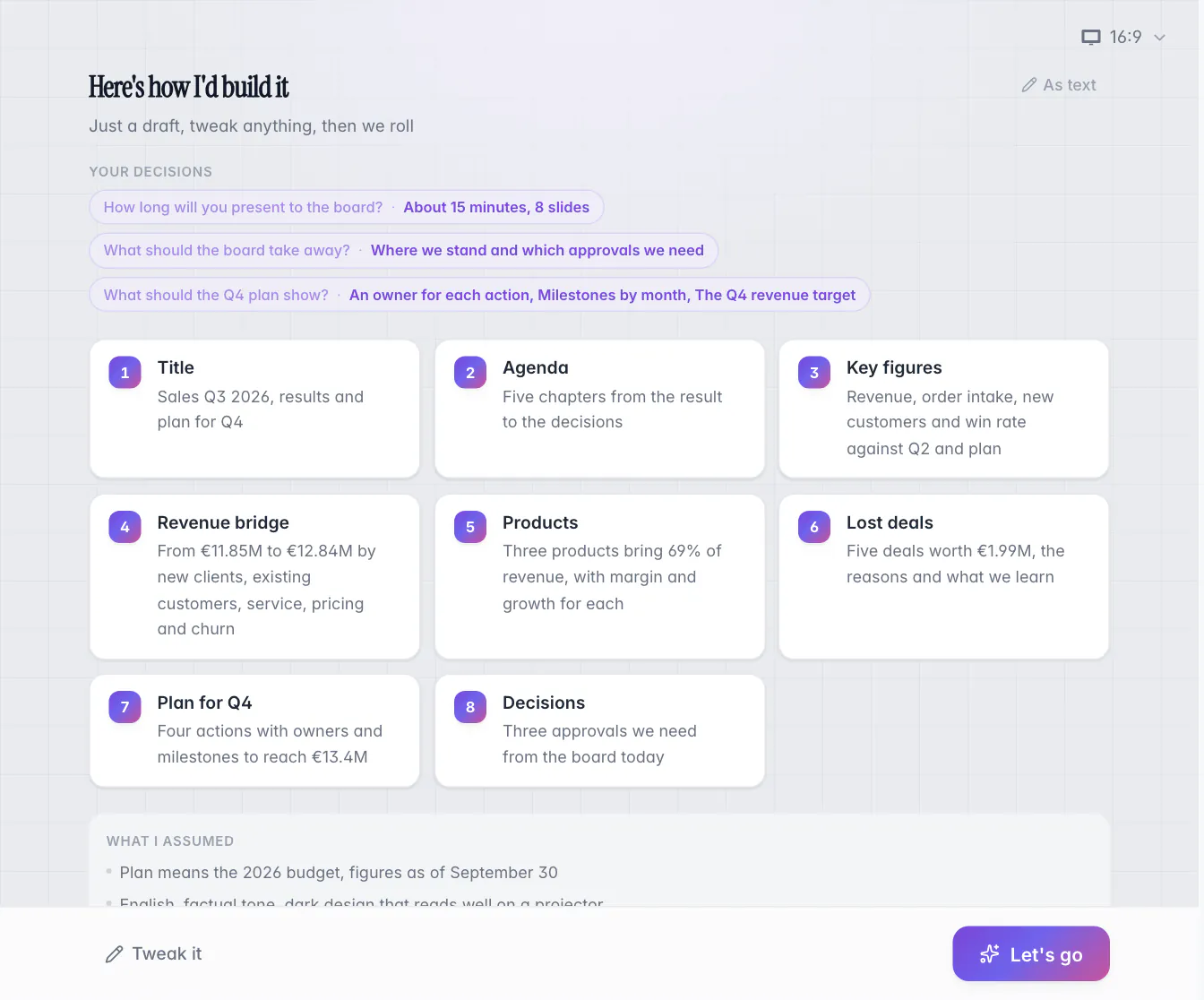
One card per page, with your decisions and a list of what Slaide assumed. Edit a card, ask for a tweak, or approve with “Let's go”.
4
Build and check
Pages are built one after another. A render check looks for overflowing text, broken images, weak contrast and logos that are too small, and Slaide tries to fix what it finds.
5
Edit
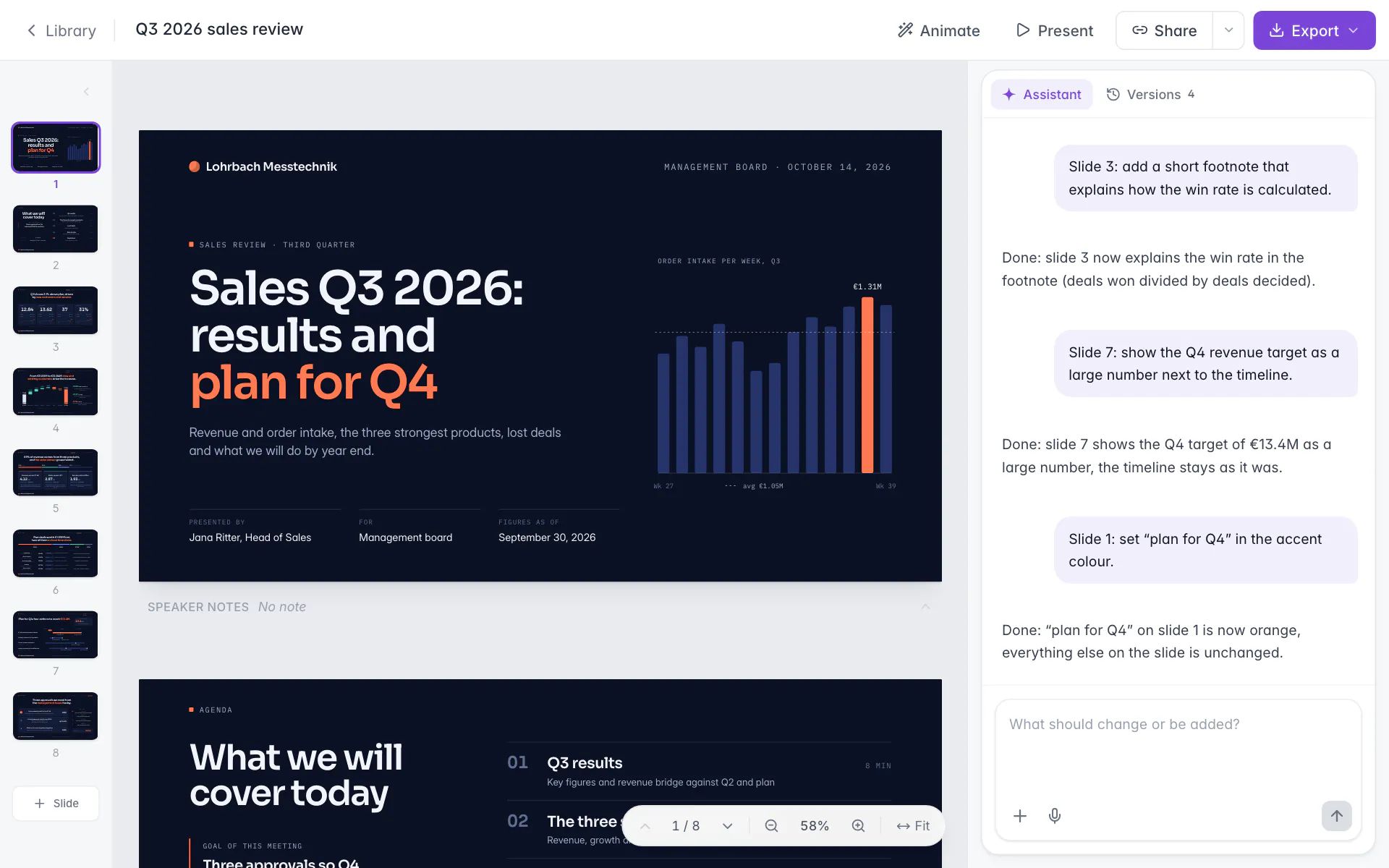
Click an object to change it by hand, ask in the chat, mark an area of a page, or select an object and press “Ask AI”. Hand edits use no credits.
6
Export
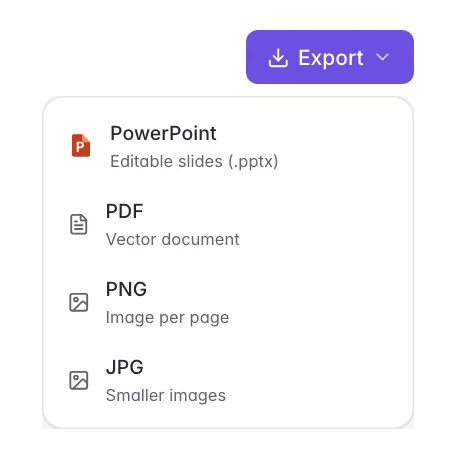
PowerPoint for slide formats, Word for A4 pages, Excel for workbooks, plus PDF, PNG and JPG. Exporting uses no credits.
Questions and page plan run for the first request of a new document on a computer. On a phone, the build starts directly.
In the app
See it work, screen by screen.
Answer a few questionsPick from ready options, or let Slaide decide the rest itself.
Approve the page planOne card per page, your decisions on top and what Slaide assumed below.
Edit by hand or in the chatPages on the left, the open page in the middle, the assistant on the right. Click an object or ask for the change.
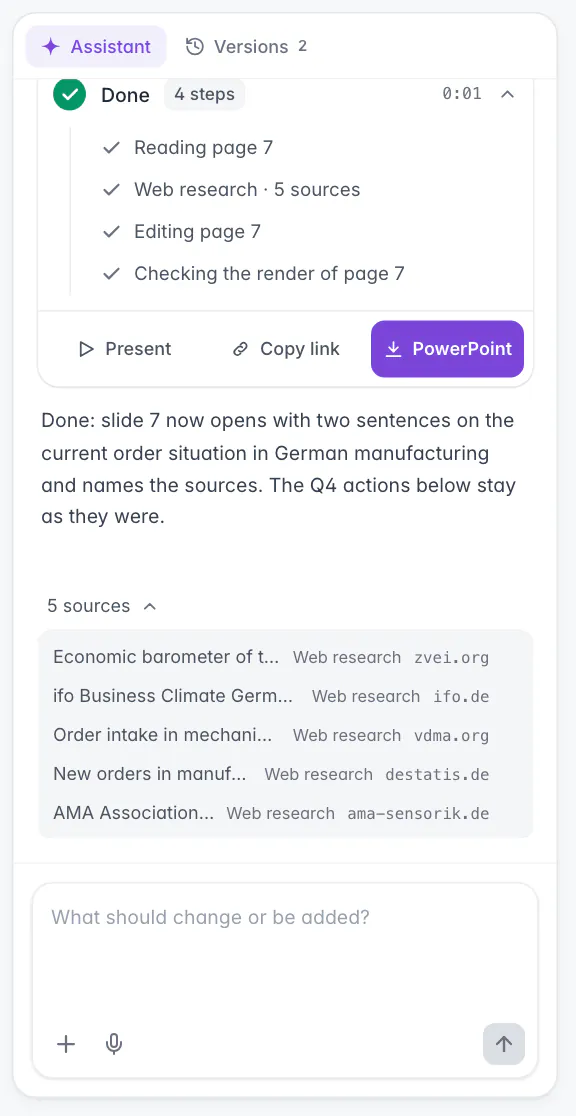
Sources you can seeWhen Slaide researches the web, the sources are listed in the assistant panel.
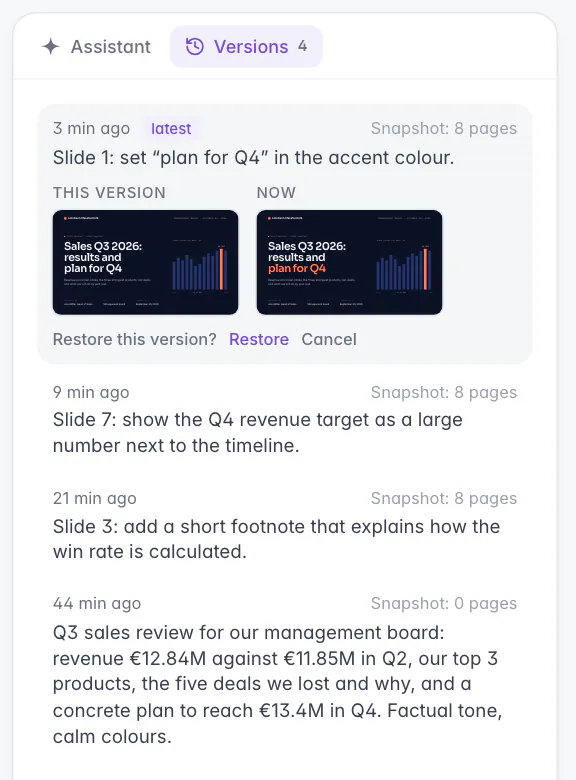
A version before every changeRestore an earlier state at any time; a restore can be undone, too.
Export where you workPowerPoint, PDF, PNG and JPG from one menu.
Screens from Slaide with an invented company and invented figures.
Spec sheet
What goes in, what comes out, file by file.
What Slaide does, in plain terms.
Checked 21 October 2026
→ In
Files
PDF, Word (.docx), Excel (.xlsx), PowerPoint (.pptx), images, text and data (.txt, .md, .csv, .json, .html)
Yes
Size
Up to 30 MB per file, 10 files at a time and 100 attachments per document
Yes
Web links
Up to 3 public links per request are read before planning
Yes
Request
Up to 100,000 characters; long material belongs in attachments
Yes
Web research
Only when a document needs current public facts; sources are listed in the assistant panel
Yes
← Out
PowerPoint
Text boxes with PowerPoint bullets, shapes, pictures, tables with editable cells and speaker notes
Yes
Word
Real headings, paragraphs, lists, tables and images on A4
Yes
Excel
Real formulas and formatting
Yes
PDF
Pages look like the editor
Yes
Animations
Entrances and transitions export as PowerPoint animations, morphs as PowerPoint Morph
Yes
Google Slides
Opens the exported .pptx
Yes
Features
Built for work documents, not for one-off slides.
Board meeting14 November 2026
The ask
Approve €4.2m for three initiatives, returning 3.1× within 36 months.
AMAOwnerM. Albers
Expand EuropeBenelux, Poland, Nordics
€1.8m
Share43 %Payback18 months
Expected return3.0×01×2×3×4×
BJOOwnerJ. Okafor
Scale the platformEngineering and API
€1.5m
Share36 %Payback12 months
Expected return3.6×01×2×3×4×
CSBOwnerS. Brandt
Win enterpriseSales, key-account team
€0.9m
Share21 %Payback14 months
Expected return2.4×01×2×3×4×
Weighted average 3.1×Planning Sept to Nov 2026Appendix 12 / 14
Decision required
Blended ROI3.1×
Cumulative return on the €4.2m invested, over 36 months
Next stepPass the resolution
Paper 12 / 14Confidential
Credentials · 2026
A letter to the roomIssue 01 · 2026
Foreword
Good slides don’t save time. They save meetings.
Three sentences your client can repeat after the meeting. That is the standard every chapter is written to.
A brand kit stores colors, fonts, logo and tone of voice, or Slaide reads them from your website. You can also open your company's .pptx or reuse an earlier document with “Use as template”.
Nordhafen LogistikQ3 review · Executive team
New clients and existing accounts lift revenue by €0.99m.
Change text, shapes, images and tables by hand, ask in the chat, or mark an area and pick “Shorter”, “Clearer”, “As chart” or “Polish”. A version is saved before every AI change.
Quarterly report · Q3 2026All regions
Growth
Revenue beat plan in all three regions by 14%.
Net revenue
€48.2m14.2% vs plan
Annual target86%
New customers
2,84122.0% YoY
Annual target79%
Retention
94.6%3.1 pp YoY
Annual target94%
EBITDA margin
31.8%±0.4 pp YoY
Annual target58%
Revenue per quarterin €m, actual vs plan
ActualPlan
Nordhafen LogistikQ3 review · Executive team
New clients and existing accounts lift revenue by €0.99m.
Charts come from your values, tables stay editable, and Excel models are built with real formulas: only inputs are typed numbers, everything derived is a formula.
Foresight / 2027Vol. 04 · Trend report
What’s next is already here
The next decade speaks pixels.
01Q2 2027Spatial computing goes everydayGlasses replace the screen: navigation, meetings and shopping in the room.38%Adoption 2027
02Q3 2027Agents shop for usAssistants compare, negotiate and manage subscriptions before we ask.24%Adoption 2027
03Q4 2027Identity goes digitalOne verified ID for every digital service, kept on your own device.61%Adoption 2027
Mitte hub · 112 active
VOLTASeries A · Investor Brief · 2026
Autonomous mobility
Mobility that never sleeps.
Volta runs autonomous shuttles for city centres: quieter, cleaner, around the clock. Launched in three cities, built for a hundred.
Investor briefingJune 2026
Launch
Q4 · 2027
Round · Series A
€80m
First cities
Berlin · Vienna · Zurich
Present and share
Present in the browser, share a public link that needs no account, or embed a deck on a website.
Credentials · 2026
A letter to the roomIssue 01 · 2026
Foreword
Good slides don’t save time. They save meetings.
Three sentences your client can repeat after the meeting. That is the standard every chapter is written to.
Three typefaces, an old logo and product shots on white.
AfterAa
A custom serif, one editorial system and a shop that reads like a magazine.
“
They didn’t decorate the brand, they re-read it from the first line.”
JRJana RitterFounder · Atelier Nord
Phone and tablet
Slaide works in a phone's browser with the same library. The full editor shows its best on a wider screen.
Data
Where your data goes, in plain words.
1Account data, documents and uploaded files are stored with Supabase in the EU.
2To create or change a document, the request and the content it needs go through OpenRouter to language-model providers in the USA, under the EU-US Data Privacy Framework or standard contractual clauses.
3Use of your content for the providers' own purposes or to train AI models is excluded by contract.
4You keep all rights in what you upload or type; your documents belong to you.
5Documents, files and share links can be deleted at any time, the whole account in Settings.
The first document is free, without a card. It is a one-time offer.
Cancel any time
No notice period, in the settings. Your account and documents stay.
Pay with Stripe
Checkout opens right after you sign up. Slaide does not receive complete payment data.
Upgrade at once
A bigger plan applies immediately, and unused time is credited pro rata.
All prices are final prices in EUR, VAT exempt under § 19 UStG. A typical document uses about 23 credits to build or edit; that is an average, not a price.
Slaide is an AI workspace for professional documents. You describe a presentation, report or spreadsheet, answer a few questions and approve a page plan; Slaide builds and checks each page, and you edit and export it as PowerPoint, Word, Excel or PDF.
Is Slaide free?
There is a free plan with one free document and no credit card: Slaide plans it with up to 12 pages and builds the first 3. Paid plans start with Plus at €7.99 a month, or €5.99 a month billed yearly.
How long does it take to build a deck?
Usually a few minutes. Pages are built one after another and the status line estimates the rest; research, images and complex pages take longer.
Does Slaide work with my company's PowerPoint template?
Yes. Open your .pptx in Slaide and it reads theme fonts and colors, layouts and repeating elements, and builds new slides in the same design. New and changed slides come back as ordinary, editable text boxes, shapes and pictures.
Where is my data processed?
Documents and files are stored in the EU. To create or change a document, the request and the content it needs are processed by language-model providers in the USA; use for training is excluded by contract.
Who makes Slaide?
Slaide is run by Nathalie Scholl as a sole proprietorship in Heilbronn, Germany. Support answers at info@slaide.de, usually within one business day.
See it with your own deck
Describe the presentation you need and attach your material. The free plan builds the first three pages, no card needed.