Product · Reports
AI report generator: A4 reports, proposals and one-pagers as Word files
Tell the AI what the report must say, approve a page plan, and get an A4 report, proposal or one-pager. Export Word to edit or PDF to send.
Free plan, no card needed
- A4 portrait is the default for reports; the plan shows the page format before anything is built
- Word export: real headings, paragraphs, lists, tables and images on A4 pages
- A calculation becomes an Excel workbook with formulas next to the pages
- PDF, PNG and JPG look the same on every device; Word is the file to edit
Step by step
How it works
Describe the report
In the start box, say what the report is for, who reads it and what it must conclude. Attach source files such as figures in Excel or notes in Word, or paste up to 3 public links. A brief alone works too.
Approve the page plan
Answer up to 4 questions, then check one card per page and the “What I assumed” list. Edit a card, use “Tweak it” or approve with “Let's go”. Questions and plan appear on a computer; on a phone the build starts directly.
Check what the AI built
The AI builds the pages one after another and checks each for cut-off text, broken images and weak contrast. A few minutes is usual, longer with research, images or complex pages. Verify figures and names yourself.
Edit and export
Edit by hand or ask the AI for changes. Open Export and choose Word for the A4 file or PDF for pages that look the same on every device. A calculation downloads as .xlsx from the workbook chip.
In the app
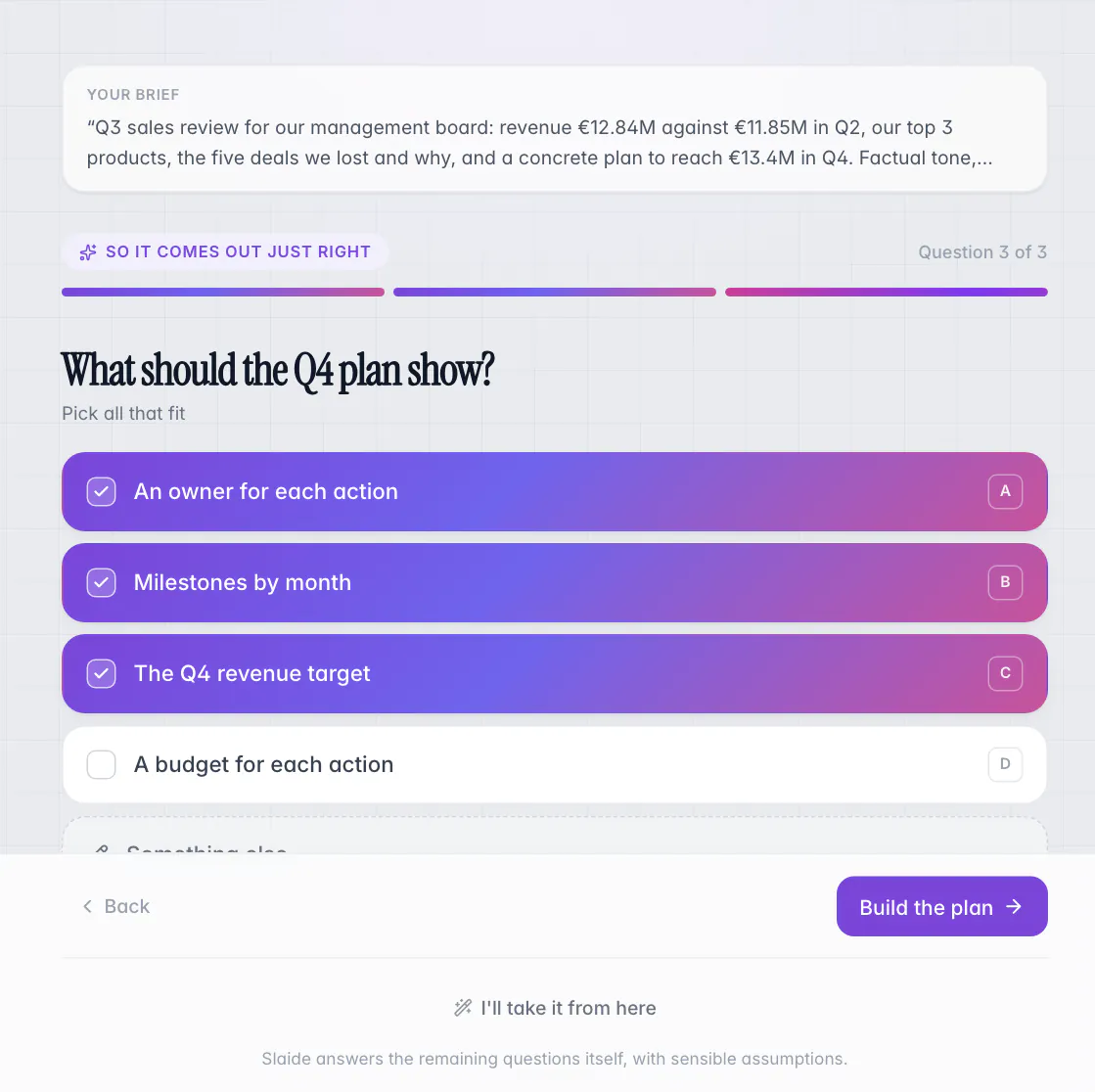
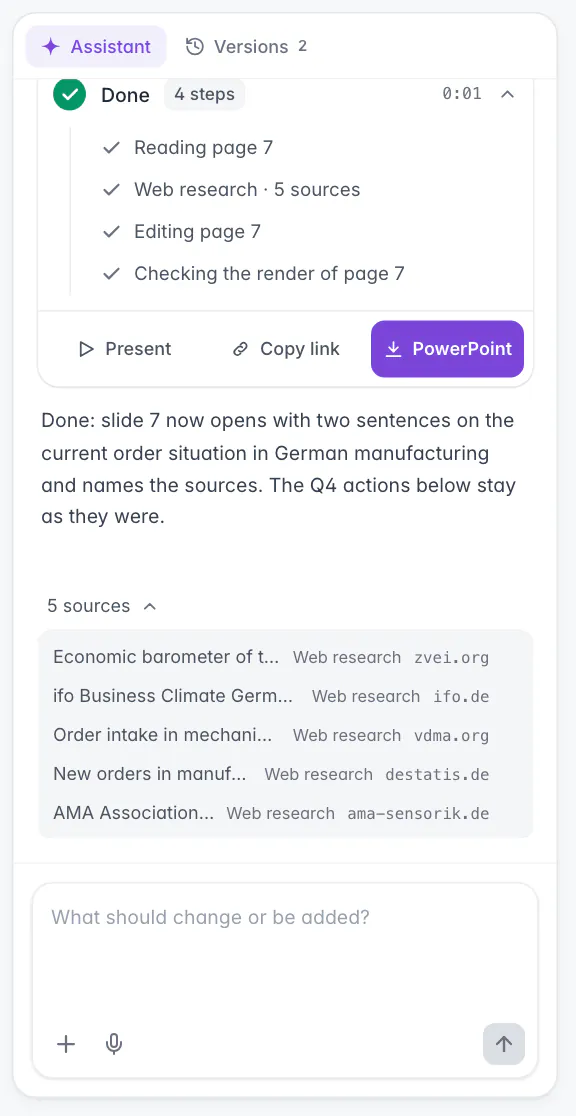
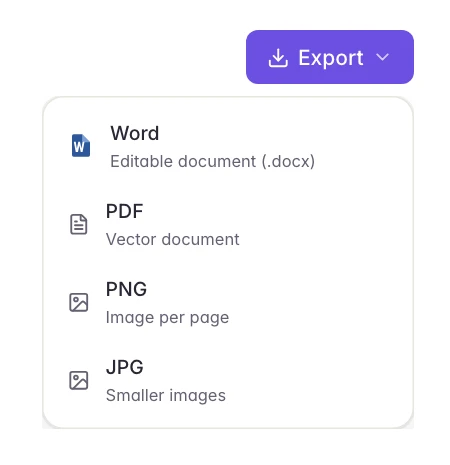
Screens from Slaide with an invented company and invented figures.
Spec sheet
What to expect, in plain terms.
Taken from the product and its help center.
Checked 22 October 2026
Security and privacy at Slaide- Page format
- Word export
- Charts
- PDF, PNG and JPG
- Brand fonts
- Calculations
- Pages per document
Read all 7 points in the spec sheet
- Page format
- A4 portrait is the default for reports. Portrait Compact and Portrait Large exist and are scaled onto A4 in the Word file.
- Yes
- Word export
- Real headings, paragraphs, lists, tables and images on A4 pages. Tables arrive as Word tables.
- Yes
- Charts
- The AI draws charts itself, by request or with “As chart” on a marked area. When the numbers change, ask the AI for an update.
- Yes
- PDF, PNG and JPG
- Pages are drawn with the editor's fonts and look the same on every device. PNG and JPG give one image per page.
- Yes
- Brand fonts
- Uploaded brand fonts draw the pages in the editor, PDF, PNG and JPG while that brand is active.
- Yes
- Calculations
- A report that needs a calculation gets an Excel workbook: typed inputs and a formula for everything derived.
- Yes
- Pages per document
- Free 3, Plus 12, Pro and Max up to 500. Free exports carry a small “Made with Slaide” mark; paid plans export without it.
- Yes
A report is a finished document, not a deck: A4 pages that people read or attach to an email. The AI builds these from a brief and your source files, with a page plan you approve before anything is built, and exports them as Word. This page covers which reports suit it, what the Word file contains and when to send Word or PDF.
Which reports can the AI build?
Reports, concepts, papers, proposals, offers, one-pagers and handouts: documents on A4 pages. The AI picks the page format from your request, A4 portrait by default for reports, and shows it in the plan before it builds anything.
| Document | What to give the AI |
|---|---|
| Management report | The audience, the period, the figures (attach the Excel file) and the decisions the report must support |
| Concept or paper | The goal, the readers, the outline you already have and your source material |
| Proposal or offer | The client's need, the scope, the figures and the terms you want stated |
| One-pager or handout | The one message, the key facts and where readers will see it |
Before the build, the AI asks up to 4 questions on points your brief leaves open and shows a page plan with one card per page and a “What I assumed” list. You edit a card, use “Tweak it” or approve with “Let's go”. On a phone the build starts directly, without questions or plan.
Pages per document depend on your plan: Free 3, Plus 12, Pro and Max up to 500. On Free, the one free document is planned up to 12 pages, but only the first 3 are built, and “Finish building” needs a paid plan. The pricing page has the details.
What does the Word export contain?
A portrait report downloads as Word (.docx). The Office file follows the page format. Portrait Compact and Portrait Large pages are scaled onto A4.
| Element | In the Word file |
|---|---|
| Headings | Real Word headings |
| Paragraphs and lists | Real paragraphs and lists |
| Tables | Word tables |
| Images | Images on A4 pages |
| Free plan | A small “Made with Slaide” footer line |
Check the file in Word before it leaves your desk. Exporting uses no credits.
Should you send Word or PDF?
Send Word when someone has to edit the text. Send a PDF when the pages must look the same on every device.
PDF, PNG and JPG are drawn with the editor's fonts, so the pages look the same on every device. PNG and JPG give one image per page, and several pages download as a ZIP file.
How do calculations and charts work in a report?
When a report depends on a calculation, say so in the brief. The AI then builds the pages plus an Excel workbook. Inputs are typed numbers, everything derived is a formula, the AI checks the formulas while building, and missing inputs are labeled as assumptions. Numbers on pages that the AI linked to cells update when the workbook changes.
The workbook downloads from the workbook chip (Options, Download). If you attach your own .xlsx, the AI reads its sheets and values. When the numbers have to end up on slides instead, see Excel to PowerPoint.
The AI draws charts itself, by request or with “As chart” on a marked area. Give it your values, units and periods; when the numbers change, ask it for an update.
How do you keep a generated report accurate?
When does an AI-built report fit?
The AI is a good fit when you have a brief and source material, want to approve the structure first and need an editable Word file in the end. If the audience would rather see slides, turn the report into a presentation; the executive summary template and the project status report template show how short versions are built. For decks from scratch, see the AI PowerPoint generator, and to rework a file you already have, improve a PowerPoint with AI. This site is published by Slaide.
Brief
Start with this brief
Copy it or open it in the editor. Replace the highlighted parts, or attach your files and the facts come from them.
Write an [8]-page management report on [topic, for example Q3 results of the sales department] for [audience, for example the managing directors]. Page format A4 portrait. Structure: executive summary, key figures, analysis by [region], risks, recommendations and next steps. Use only the figures in the attached [file name, for example q3-figures.xlsx] and label every assumption. Add one chart of [revenue by region] and one table of [the five largest deviations]. Tone: factual and concise. Start every section with its conclusion.
FAQ
Frequently asked questions
Can AI write a business report?
Yes, as a first version to refine. The AI builds an A4 report from your brief and your files after you approve a page plan, and it is instructed not to invent figures and to label assumptions. Check every figure, name and statement before the report goes out.
Can I get the report as a Word file?
Yes. An A4 report exports as a Word file (.docx) with real headings, paragraphs, lists, tables and images on A4 pages. Exporting uses no credits. Check the file in Word before it leaves your desk.
Should I send Word or PDF?
Send Word when someone has to edit the text. Send a PDF when the pages must look the same on every device. PDF, PNG and JPG are drawn with the editor's fonts.
Can a report include calculations from Excel?
Yes. When a report needs a calculation, the AI builds an Excel workbook next to the pages: typed inputs, formulas for everything derived and missing inputs labeled as assumptions. Numbers on pages that the AI linked to cells update when the workbook changes.
Can the report follow our company design?
Yes, through the Brand page. Colors, fonts, a logo and a tone of voice are attached to every new request as guidance, and your instruction in a request wins over them. Uploaded brand fonts draw the pages in the editor, PDF, PNG and JPG.
Where does my report content go?
Account data, documents and uploaded files are stored in the EU. To build or change a report, your request and the content it needs go to language model providers in the USA, and use for training is excluded by contract. For sensitive material, check first whether processing in the USA is permitted for you.
Keep reading
Build the first version now
The free plan includes one document with its first three pages built, no card needed. The AI plans, writes and designs it; you edit and export.
Build your first deck freeFree plan, no card needed